Selected work / Product design

Engage
PWA.

A mobile companion for the work people actually need on the go: checking social accounts, confirming publishing schedules and handling client conversations without desktop complexity.

ProjectEngage PWA
ChallengeTurn an overly complex mobile experience into a focused tool for time-sensitive work
My workMobile product direction · User testing · UX/UI design
The final solution
01 / Context

A product with a mobile gap.

Engage helps teams manage publishing and social conversations. Its original mobile app was due to close, while the first browser-based PWA largely translated the same experience. That opened a more useful question: what do people need when they are away from their desks?

Testing showed that people did not want the full desktop product on a phone. It was too complex for mobile use. They mainly wanted to check connected social accounts, double-check publishing schedules and handle essential tasks on the go.

I used that distinction to reshape the existing PWA around the moments where mobile could be genuinely useful, particularly Publishing and Streams.

Scope
Reshaping the existing PWA into a focused mobile companion
Input
User testing and survey findings
02 / Evolution

Changing the format
wasn’t enough.

The first move from native app to browser-based PWA kept much of the old product shape. The redesign changed what the mobile experience was trying to do.

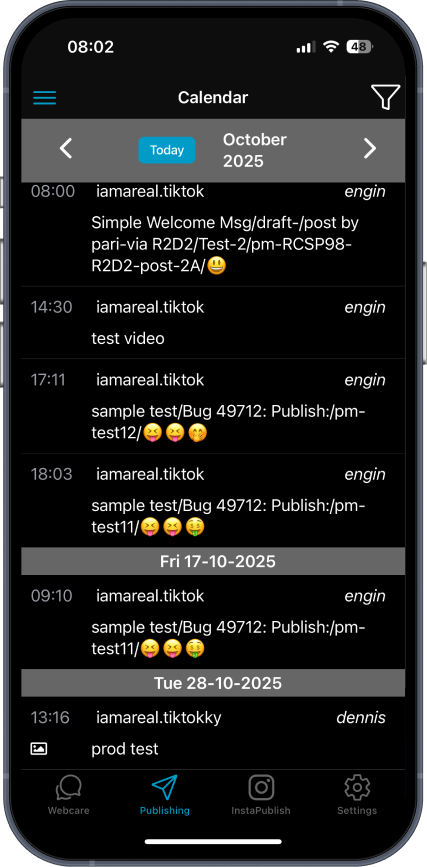
01 — Original mobile app

The old app

A dense standalone experience with usability issues.

Original mobile app calendar with dense publishing list
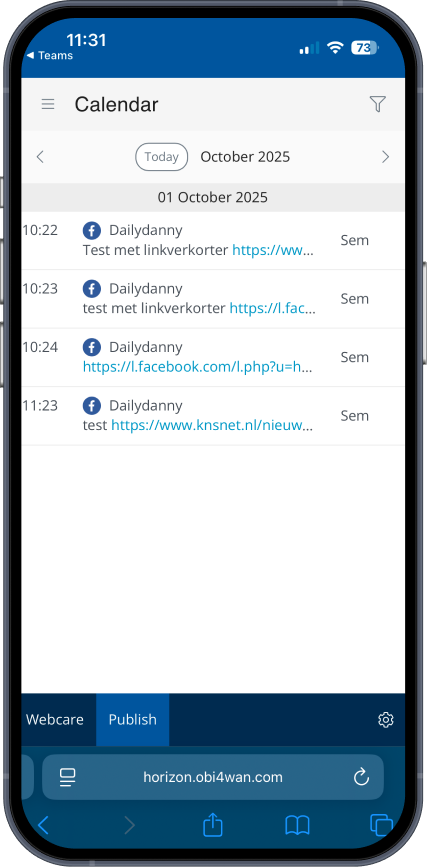
02 — Browser-based transition

PWA v1

A direct translation that carried the complexity forward.

PWA v1 browser calendar with list of published items
03 — Focused redesign

PWA v2

A mobile companion centered on quick orientation and action.

PWA v2 Publishing calendar showing clear status and schedule
A closer look / Creating a post

The old structure carried into the browser.

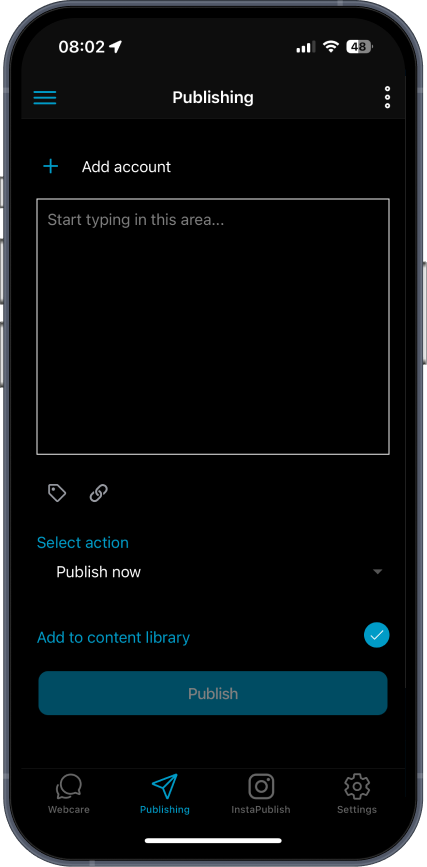
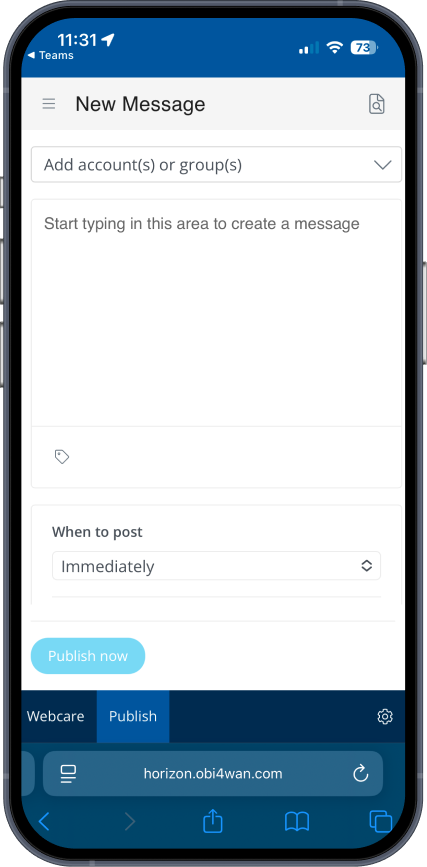
The original composer and PWA v1’s new-message screen show why simply moving the experience to a browser did not solve the mobile task. The redesigned preview and scheduling steps appear later in the Publishing story.

Original app Publishing composer
Original app · Publishing
PWA v1 browser New Message composer
PWA v1 · New message
03 / User testing

The mobile job
became clearer.

In a survey of 177 people, urgent and on-the-go situations dominated. The results pointed toward a focused companion for short, practical tasks.

Mobile-use situations · n = 17757.6%

102 respondents saw mobile as useful for emergencies or last-minute fixes.

Mobile-use situations · n = 17740.1%

71 respondents cited use while on the go.

Feature priorities · n = 67 valid answersImportant features for mobile
  • 19.4% · 13Publishing approvals / edits
  • 11.9% · 8Streams replies
  • 3.0% · 2Analytics

These answers supported quick actions on mobile and deeper analysis on desktop.

A barrier beyond features

Many people doubted a mobile app would be useful or reliable after earlier attempts. The redesign needed to earn trust by making a few practical tasks work clearly and consistently.

04 / Strategic shift

Don’t shrink desktop.
Design for the moment away from it.

Testing

People did not need every desktop capability on mobile.

Product role

The PWA should support fast checks and focused tasks.

Design direction

Make schedules, accounts and active conversations easy to understand.

05 / Story one

Publishing,
without the detours.

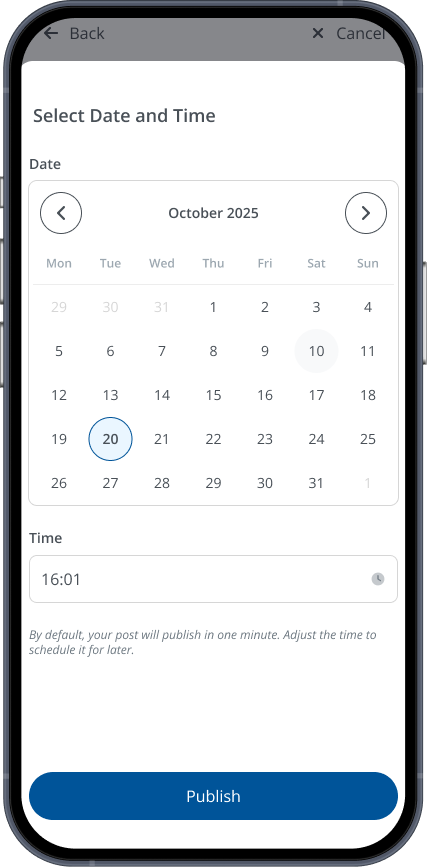
Publishing was one of the clearest mobile use cases. The redesign makes the schedule visible, gives a clear preview across selected channels and lets people choose a date and time before publishing.
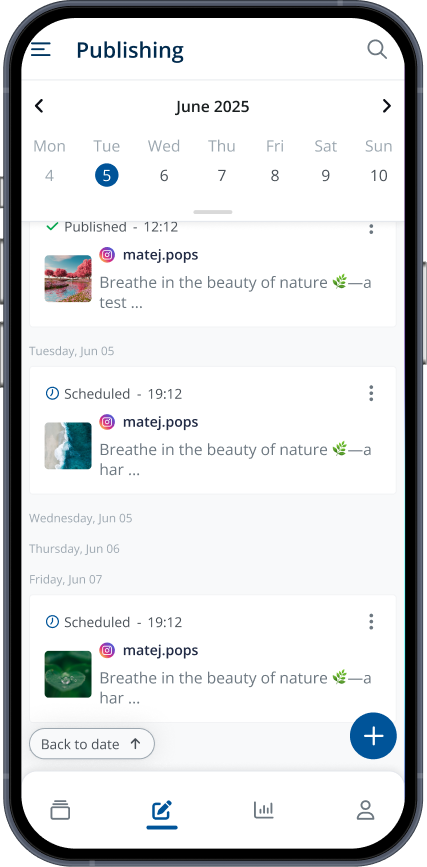
Redesigned Publishing calendar
01 / Check the schedule
Published and planned posts in one view
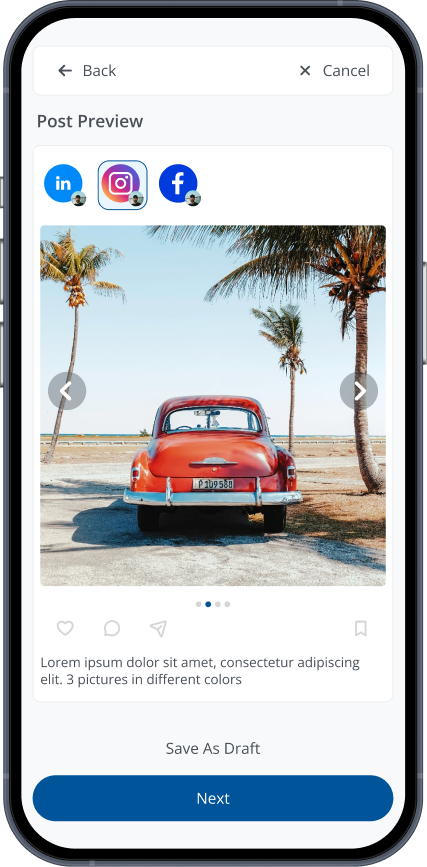
Post preview across selected social channels
02 / Preview the post
See the content before continuing
Date and time selection for publishing
03 / Choose when to publish
Set a date and time deliberately
Design decision 01

Make the current publishing state easy to verify, then separate preview and timing into clear steps.
06 / Story two

Streams you can
actually scan.

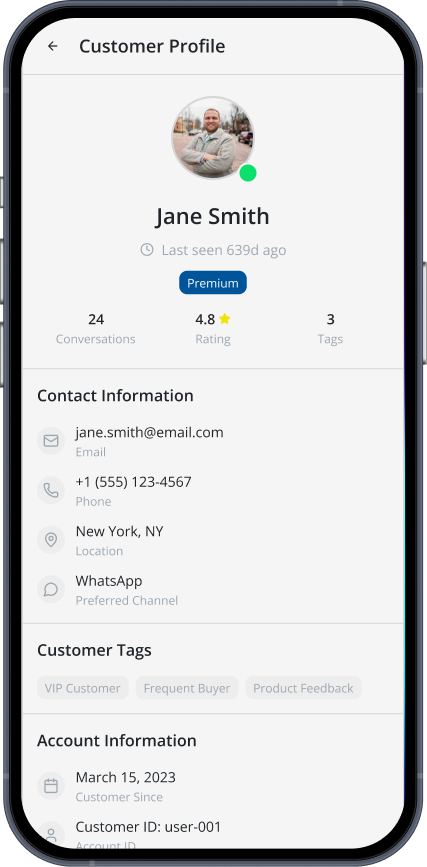
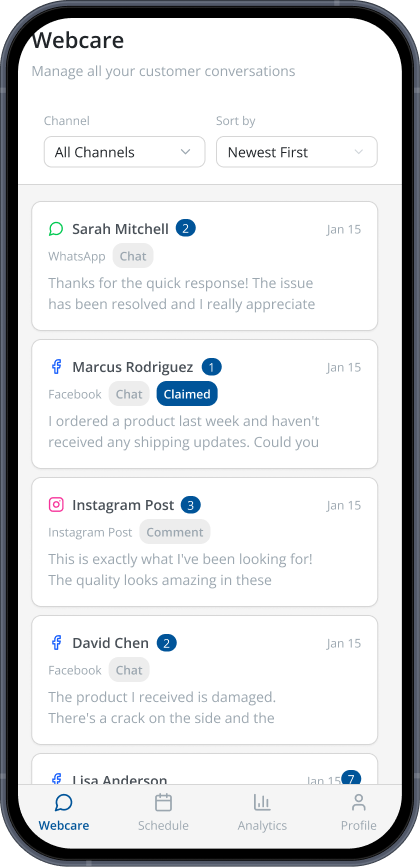
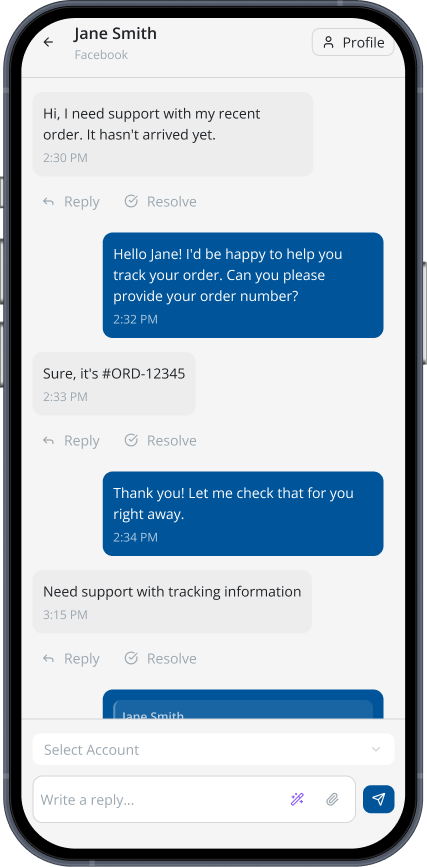
Streams brings together message threads between the brand and its clients. The mobile flow starts with a filtered thread list, opens the conversation for a reply or resolution, and keeps client context available through the profile.

Streams list showing message threads across channels, with filters and sort controls
01 / Scan the threads
Find conversations across channels
Message thread between the brand and a client, with reply and resolve actions
02 / Open a conversation
Read, reply or resolve in context
Client profile with conversation count and contact information
03 / Check the client profile
See details behind the thread
Design decision 02

Keep the thread list easy to scan, then reveal the conversation and client context as each task calls for them.

07 / Final solution

A focused experience
for mobile work.

Engage PWA brings the essential Publishing and Streams tasks into a clearer mobile structure.

Publishing makes the schedule and post state visible, then moves through preview and timing in distinct steps. Streams lets people scan brand-client message threads, respond in context and open a client profile when they need more detail.

Together, these flows give mobile a defined role alongside desktop: quick checks and focused actions during short, interrupted sessions.

08 / Reflection

What this work changed.

The useful shift was in the framing. Once mobile became a companion, I could evaluate each feature by whether it supported a real on-the-go need. That made it easier to simplify the workflow without losing the product’s core purpose.

The survey reinforced a design principle I would carry into other products: prioritize the job people need to finish in a given context, rather than copying every feature into every surface.

Project navigation
Previous project

Onboarding Flow

A guided setup customers can complete on their own schedule.

View case study
Next project

Predictive Analytics

Making customer predictions clearer to interpret and act on.

View case study