Selected work / Product onboarding

Onboarding
Flow.

Turning a manual setup process into a guided experience customers can complete on their own schedule.
ProjectB2C Onboarding
ChallengeRemove the wait for assisted setup
My workProduct flow · UX · UI design
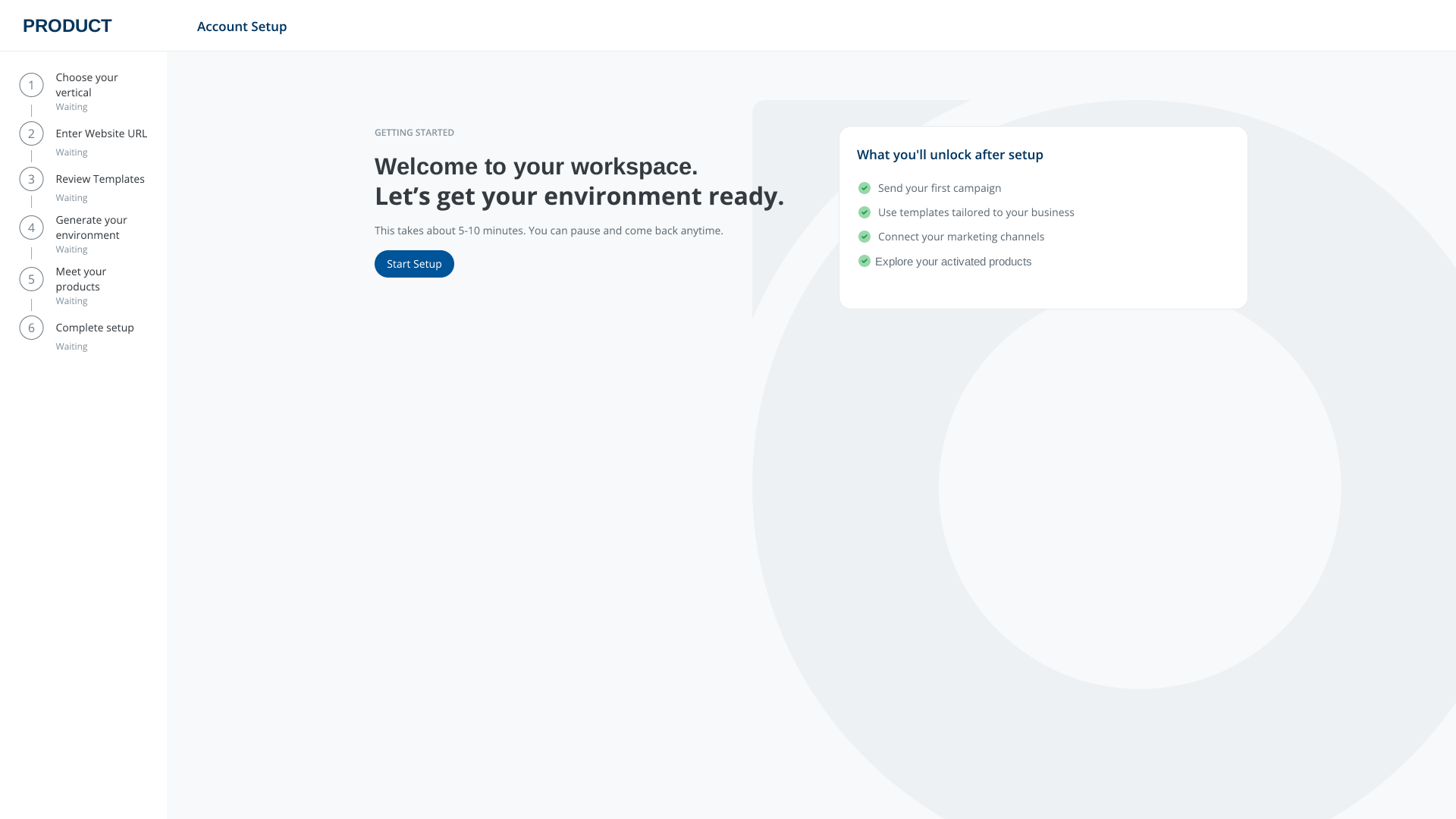
Welcome screen with a six-step setup checklist and a clear start action
The starting point: a guided path with visible steps and the option to return later.
01 / Context

Setup depended
on someone else.

Customer Success handled onboarding for new B2C customers. Each setup required manual work, took team time, and made the customer’s start depend on availability.

The design challenge was to let customers prepare their own environment without asking them to understand the platform’s internal structure first. They should be able to start when it suits them, pause, and continue later.

A single guided experience needed to connect account details, branding, technical tasks and products that had previously felt separate.

Scope
Self-serve setup across the B2C product environment
Input
Existing assisted onboarding and product requirements
Focus
Independence, clarity and progress
02 / Shift

From a service
to a product flow.

The customer needed one place to understand what was required, complete what they could, and see what was ready.

01

Start anytime

Begin setup without waiting for a scheduled handoff.

02

Know the next step

A persistent checklist makes the sequence and progress visible.

03

Bring the right person

Hand off setup or assign technical work where needed.

04

Land in the product

Move from configuration into a ready environment.

03 / Journey

One path through
the essentials.

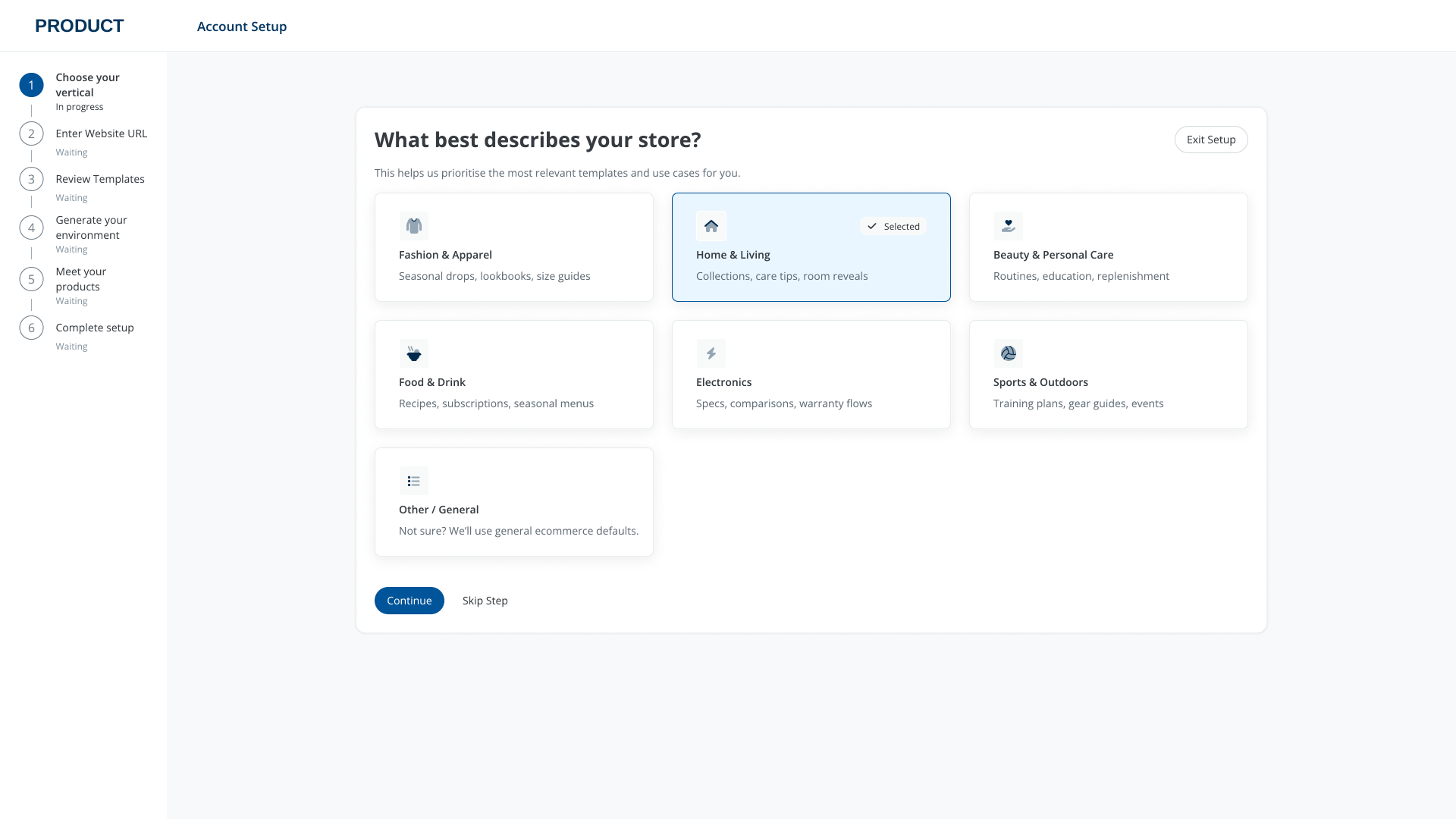
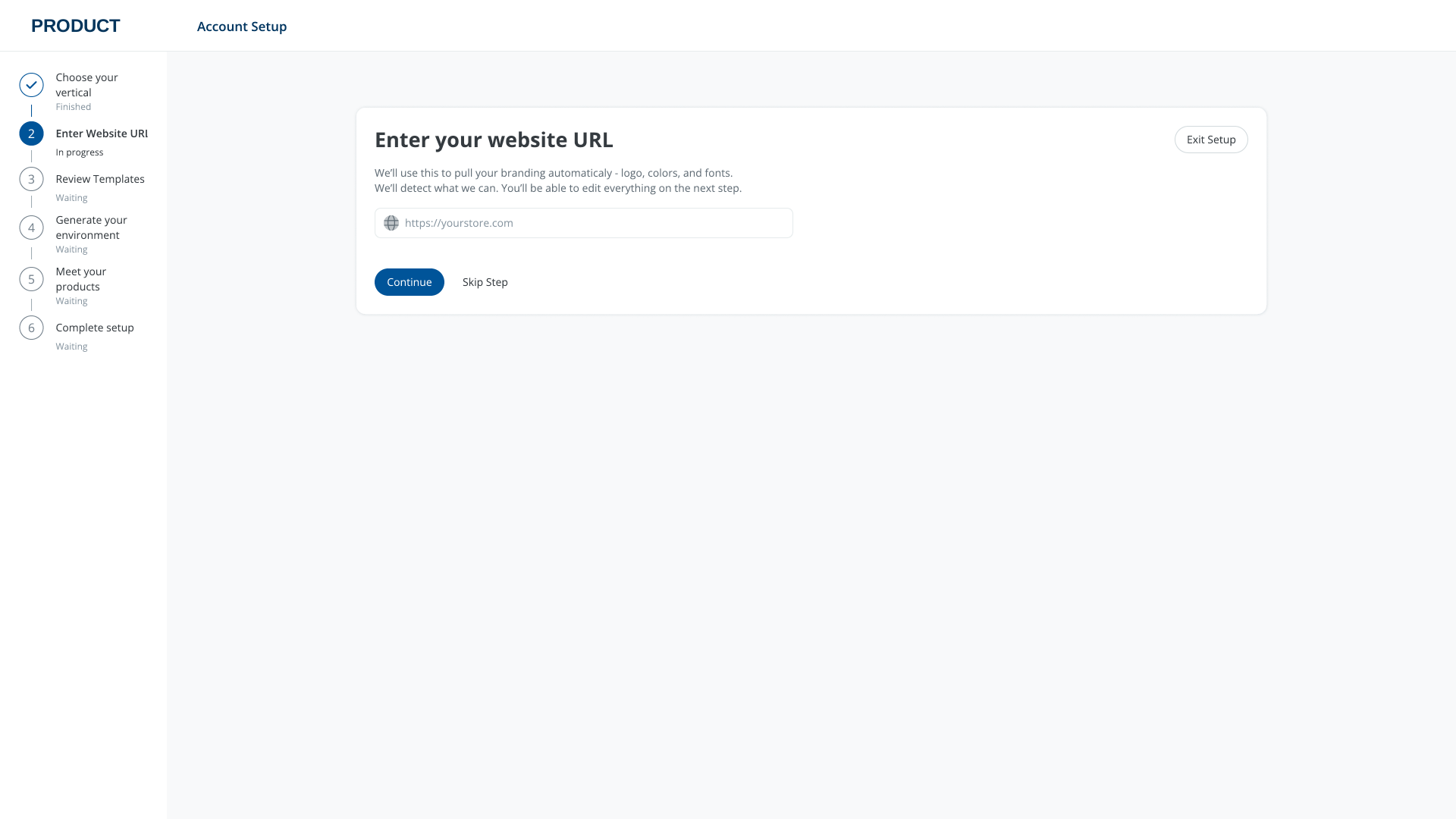
The six-step structure takes customers from a few simple inputs to a prepared environment and an overview of what they can use next. Select any screen to inspect it at full size.
01Choose a vertical
02Add a website
03Review branding
04Generate the environment
05Handle technical setup
06Meet the products
Store vertical selection in step one
01 / Relevant from the start. The store type informs the templates and use cases shown later.
Website URL entry in step two
02 / Use what already exists. A website URL starts the brand setup.
04 / Design decision

Collect once. Let people review.

The flow uses the customer’s website to prefill brand details and template styling. It then shows the result in context, with editable colors, type and logo before the environment is generated.

This removes some repetitive setup work while keeping the customer in control of what goes live.
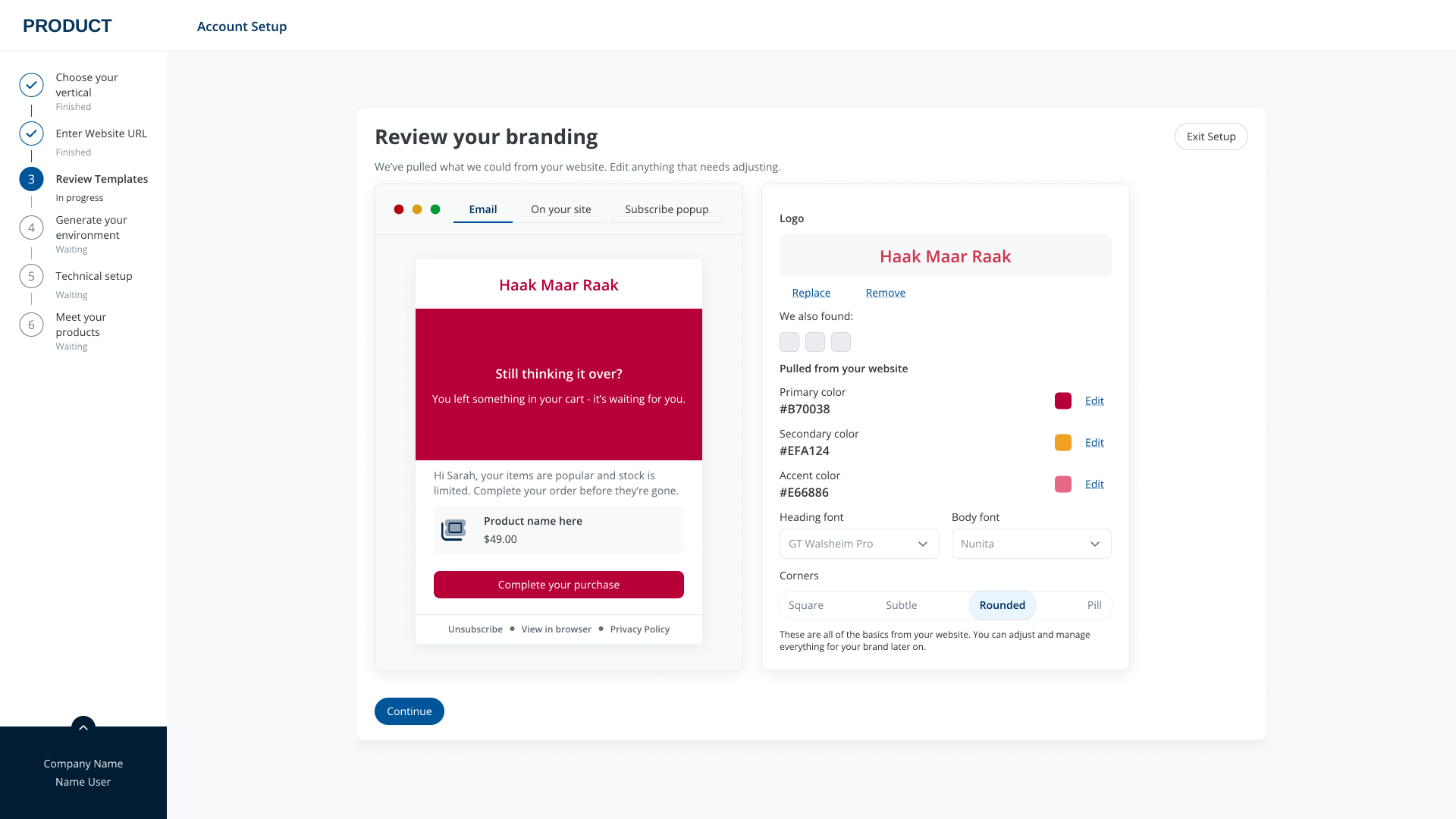
Brand review screen with email preview and editable colors, fonts and logo
Brand review / A live preview alongside the editable source values.
05 / Design decision

Make setup state visible.

Generation is a distinct step with a checklist of what is being prepared. The same progress model carries through the whole flow, so customers can see what is complete and what still needs attention.
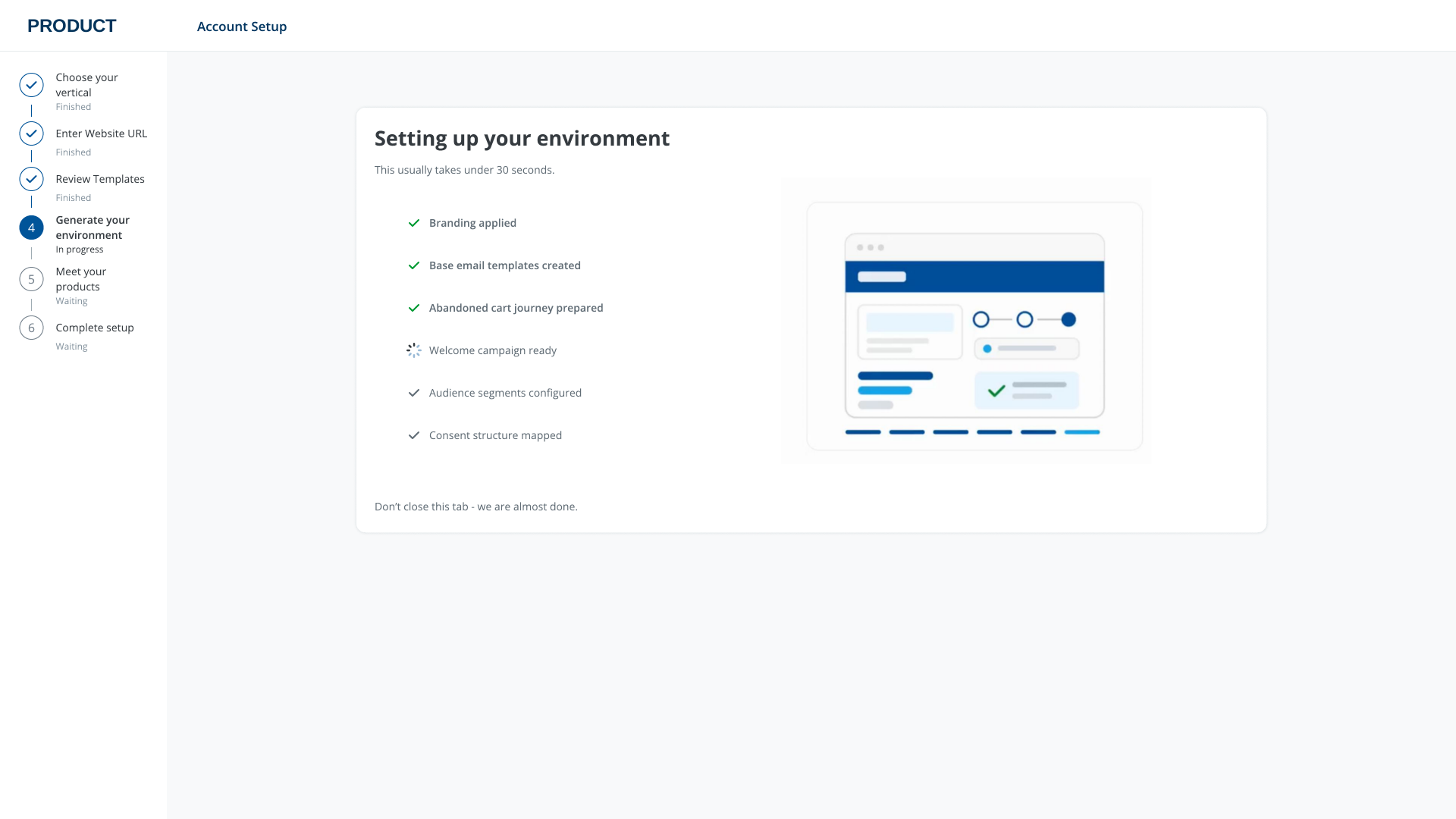
Environment generation screen with individual setup tasks and progress
Generation / Specific tasks replace a vague loading state.
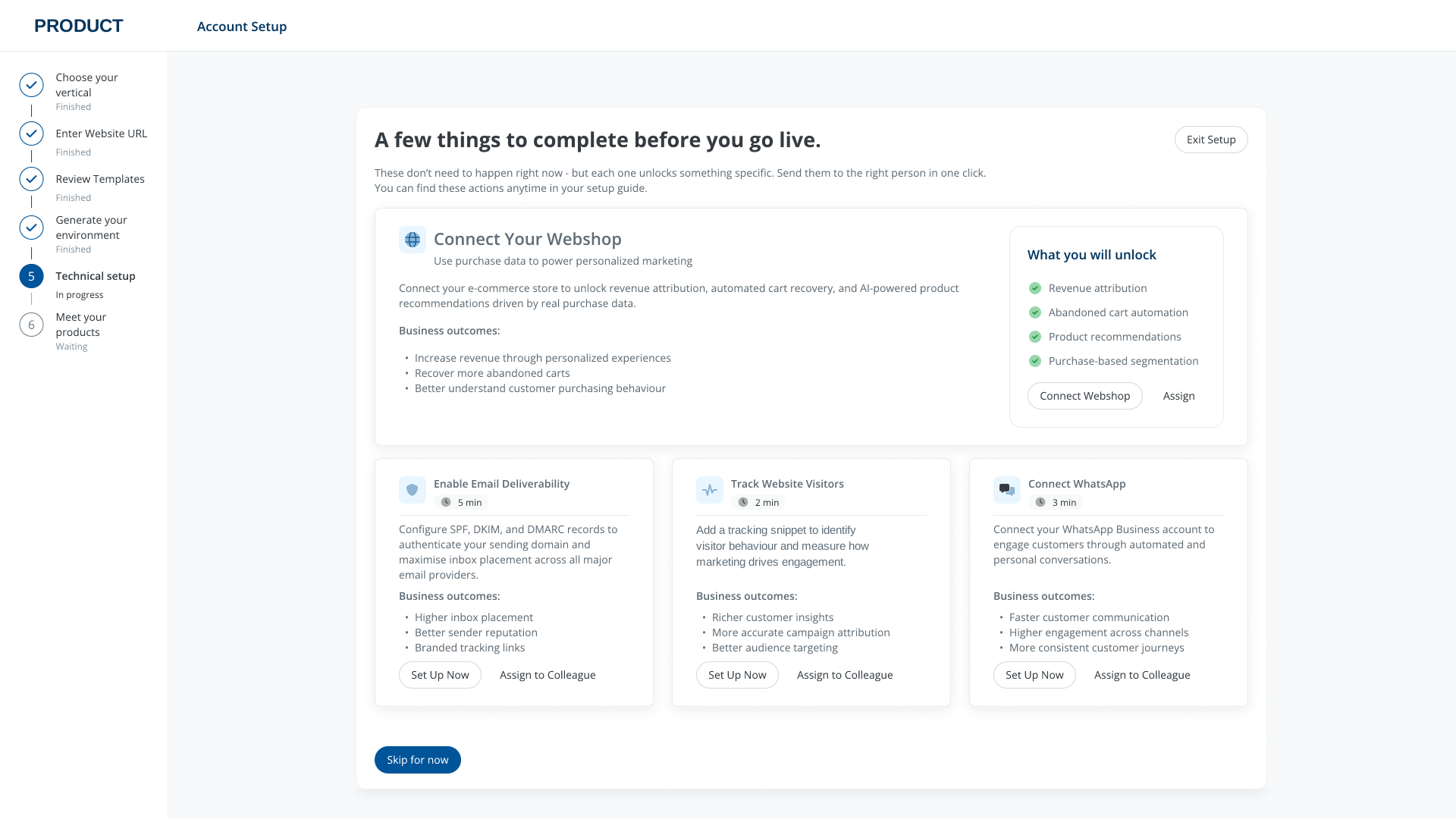
Technical setup screen with optional tasks and assignment actions
Technical setup / Tasks can be completed or assigned to the right person.
Technical work is presented in plain language and tied to the capability it unlocks. Customers can handle it now or return through the setup guide.
06 / Design decision

Leave room for a handoff.

Self-serve does not mean every customer must do every step alone. The flow offers a handoff when another person on the customer’s team is better placed to finish setup.
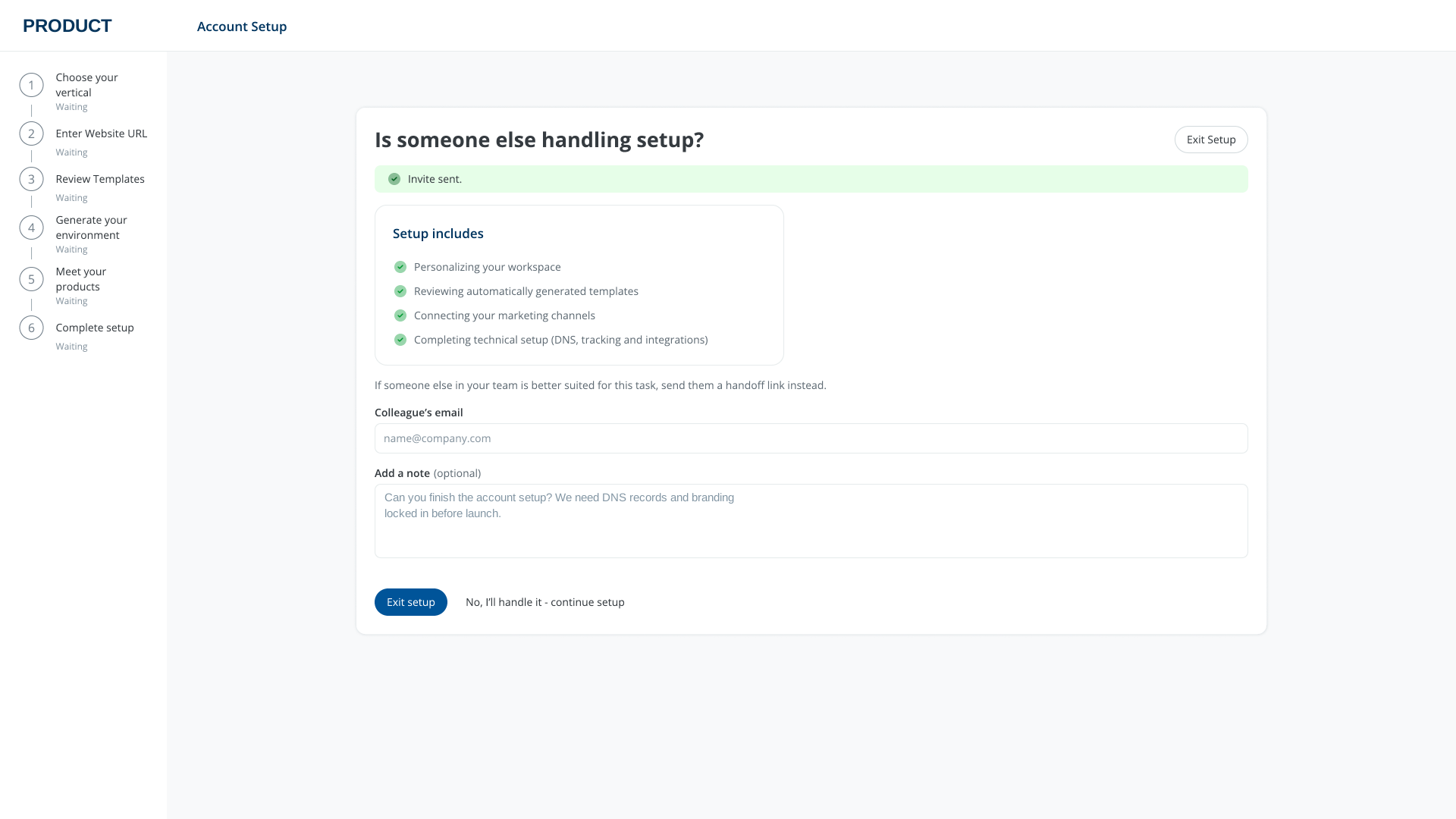
Optional handoff screen for inviting another person to complete setup
Optional handoff / Keep the process moving without routing it back through Customer Success.
07 / Destination

Setup leads
into use.

The final step shows what has been prepared and gives customers a direct route into their products.
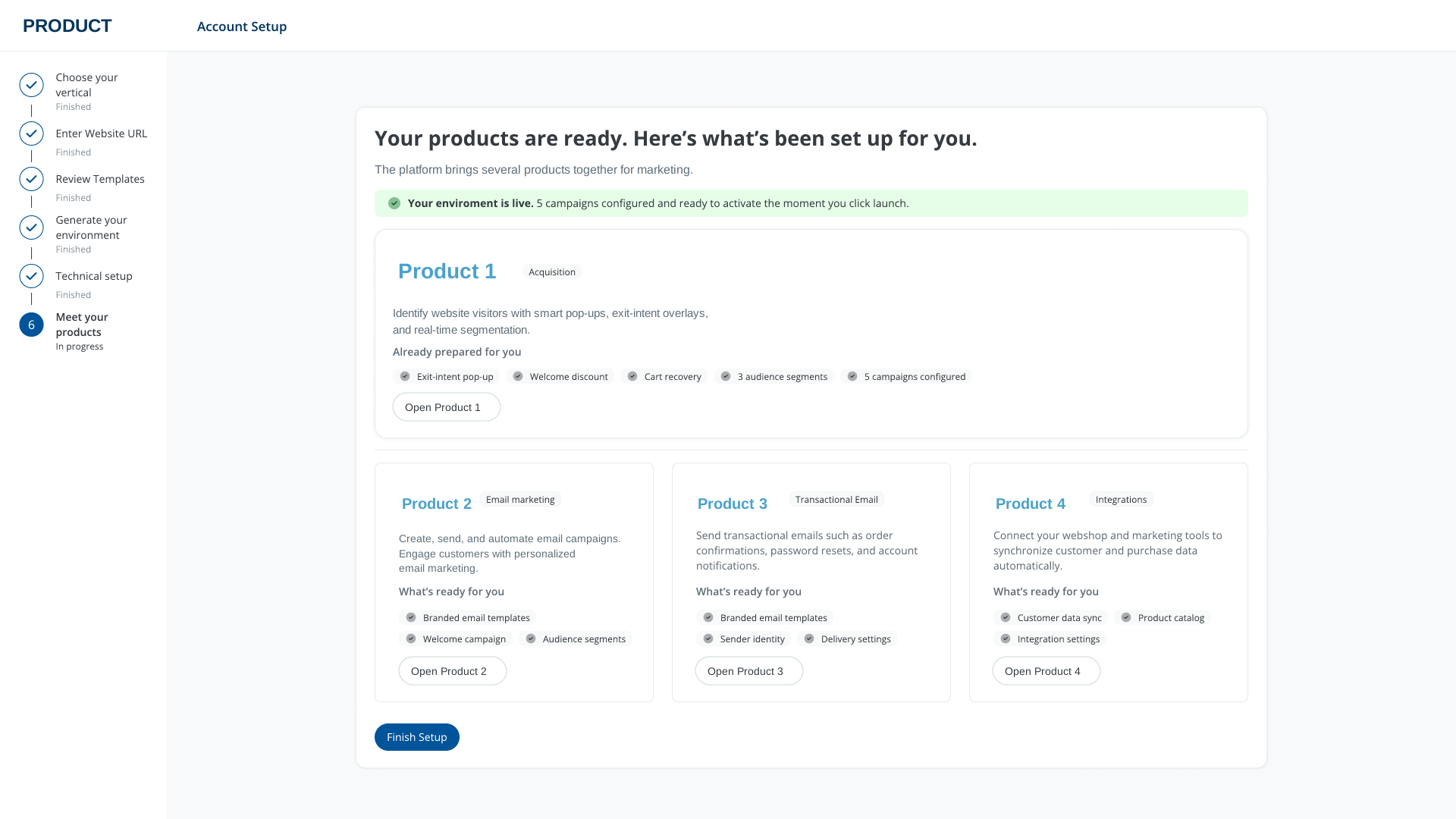
Final setup screen summarizing prepared products and next actions
Completion / A summary of what is ready, with next actions instead of a dead end.
08 / Result

An independent
way to get started.

The flow gives customers a clear path from a new account to a usable product environment, on their own time.

It brings setup into one guided experience: visible progress, reusable brand inputs, contextual technical tasks, and a direct transition to the product.

It was designed to reduce routine manual setup for Customer Success and avoid delays caused by team availability.

Project navigation
Previous project

Design System Framework

Shared foundations, components and guidance for product teams.

View case study
Next project

Engage PWA

A focused mobile companion for work on the go.

View case study